Put AI employees on your desktop
No terminal or manual deployment. Assign an outcome, work with local files, use Skills, and keep everything moving toward delivery in one workspace.
Official downloads
Choose the build for your computer
Installers are delivered from the official OneClaw release pipeline on Aliyun OSS. This page updates automatically with each release.
Desktop AI workspace
More than another chat window
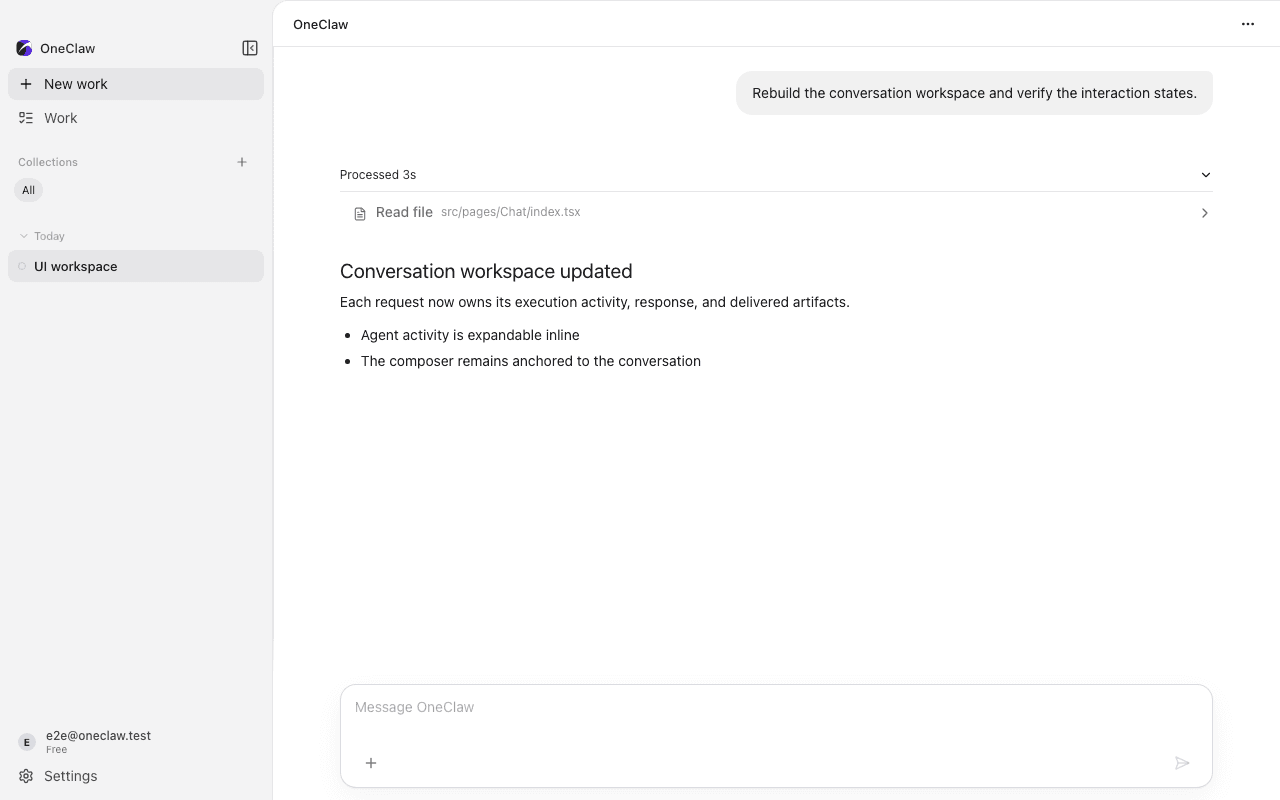
OneClaw bundles the OpenClaw runtime and brings employees, Skills, task execution, and deliverables into one desktop experience.
One workspace for real work
Keep conversations, files, execution, and final deliverables in one timeline.
Specialists that collaborate
Choose a specialist for the task, or let an employee team divide complex work.
Works with local context
Use authorized projects and documents, then save reviewable results to your computer.
Skills, channels, and schedules
Extend with Skills, connect messaging channels, and schedule recurring work.
Personal accounts are live
Get started in minutes
An enterprise account is no longer required. Sign in with your personal OneClaw account to access your Credits, official employees, and Skills on desktop.
Create or sign in to an accountSign-in is completed in your browser. Desktop receives only the authorization result, never your account password.
- 1
Choose your installer
Download the official installer for your Mac chip or Windows PC.
- 2
Install OneClaw
On Mac, drag OneClaw into Applications. On Windows, follow the EXE installer.
- 3
Sign in with your personal account
Choose Personal Sign In, authorize in your browser, then return to OneClaw.
Ready to hand off your next outcome?
Install OneClaw, sign in with your personal account, and describe what you want done.